Best Resume Builders for Nurses: Honest Comparison & Reviews
Best Resume Builders for Nurses in 2026: Honest Comparison & Reviews
Disclosure: This article contains affiliate links. We may earn a commission if you purchase through them, at no extra cost to you. Our rankings are based on independent research, not commission rates.
Introduction
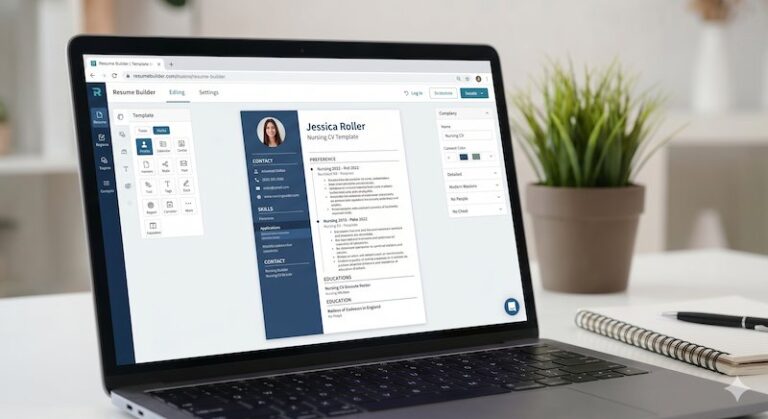
You’ve decided to use a resume builder. Good call — for most nurses, especially those applying to multiple roles or transitioning into Canadian healthcare, building a resume from scratch in Word is a slow path to burnout. The right tool can save you 5–10 hours per application cycle and dramatically improve your ATS pass-through rate.
But the decision of which builder to use is harder than it should be. There are dozens of options, every single one calls itself “the best for nurses,” and it’s almost impossible to tell from a marketing page which ones actually understand nursing licensure, clinical placements, and ATS requirements — and which ones are generic resume tools with a “nursing template” added as an afterthought.
We get it. You don’t have time to sign up for 8 different platforms, build the same resume 8 times, and compare. So we did the comparison work for you.
This article ranks 4 resume builders specifically through the lens of nursing applications. We compared each one across four dimensions that matter most for nurses: features, pricing, ATS compatibility, and how well it handles nursing-specific content like RN/LPN credentials, NCLEX status, clinical placements, NNAS evaluations, and shift-based experience.
Let’s get into it.
How We Compared

Before the rankings, a quick note on methodology so you know what’s behind our recommendations.
We evaluated each builder on:
- Nursing template availability — Does it have templates designed for healthcare/nursing, or just generic professional templates?
- ATS compatibility — Does it use clean, single-column layouts that parse well in Workday, Taleo, iCIMS, and other major hospital ATS systems?
- Customization for nursing-specific sections — Can you easily add Licensure, Certifications, Clinical Placements, NCLEX status, and NNAS evaluation?
- AI assistance quality — If AI suggestions are offered, do they produce nursing-appropriate language (or do they suggest generic corporate phrases)?
- Pricing transparency — Is the pricing model clear, or does it use “free trial” patterns that automatically charge after 14 days?
- Export options — Can you export clean PDF and DOCX files without watermarks?
- Mobile usability — Can you edit on a phone, or is it desktop-only?
- User reviews — What do real nurses say in reviews on Trustpilot, Reddit (r/nursing, r/StudentNurse), and G2?
We did not test every builder ourselves end-to-end. Our rankings are based on publicly available information, official feature documentation, pricing pages, and aggregated user reviews. If you find that something has changed since we published this — pricing changes are especially common in this category — let us know and we’ll update.
Now, the rankings.
Quick Comparison Table

The short version of this guide — full breakdowns follow below. Pricing is approximate; verify on each provider’s site before buying.
| Rank | Builder | Free Tier | Paid From | Strongest Point for Nurses |
|---|---|---|---|---|
| 1 | VisualCV | Yes (limited) | ~$15/mo | Modern templates + shareable web resume URL |
| 2 | Enhancv | Yes (watermarked) | ~$20/mo | Design-forward layouts that stand out in human review |
| 3 | Yotru | Yes (basic) | ~$6/mo | AI content prompts for nurses who freeze at blank pages |
| 4 | Nurse Resume Builder | Trial only | ~$9/mo | Every template and prompt built for nursing roles |
If you want a longer list — including tools we evaluated but chose not to rank — see the “Why Some Popular Builders Didn’t Make This List” section below.
1. VisualCV — Modern Templates + Shareable Resume URL
Try VisualCV → (affiliate link)
VisualCV is a modern online resume platform that does something most nurses don’t realize they want until they try it: it gives you a shareable web-URL version of your resume in addition to traditional PDF exports. For nurses building a personal brand — speaking at conferences, writing for nursing publications, applying to fellowships, or quietly exploring the market without blasting PDFs across the internet — this is quietly powerful.
What it does well:
- Shareable web resume URL — you can hand a recruiter a link (e.g., visualcv.com/yourname) instead of attaching a PDF by email
- Strong ATS performance — the underlying templates parse cleanly into Taleo, Workday, and iCIMS when downloaded as PDF
- Clean, modern templates without the “design-heavy” pitfalls that break ATS parsing
- Version management — keep separate versions for med-surg vs ICU vs travel applications, switch between them in one click
- Analytics on your web resume — see when recruiters view it, how long they stay, and which sections they scroll
- Free tier sufficient for a single-version resume with basic templates; paid tier (~$15/month) unlocks unlimited versions, premium templates, and PDF customization
What to watch out for:
- Not nursing-specialized. Templates are generalist; you provide the clinical language.
- The web-URL feature is a differentiator, but not every recruiter wants a link — always download the PDF too.
- Free tier watermarks some exports; if you’re only going to use it once, check whether the free PDF is clean enough for your target employer.
- Less “AI assistance” than Yotru — you bring your own content, VisualCV formats it.
Recommended for: Nurses who value presentation and want a web-URL version for networking, nurses applying to multiple role types who need version control, and nurses who want modern templates without sacrificing ATS readability.
Bottom line for nurses: The closest thing to “professional portfolio tool” that still works as a resume builder. The shareable URL alone justifies the paid tier if you’re job searching for more than a month.
Get started with VisualCV → (affiliate link)
2. Enhancv — Best for Modern Design + Content Quality
Try Enhancv → (affiliate link)
Enhancv sits in a different niche from the volume players. It focuses on resumes that look modern and use space cleverly — sidebars, accent colors, and design touches that stand out from a stack of standard resumes. For nurses applying to roles where the human review matters as much as the ATS scan (smaller clinics, leadership positions, specialty roles), this can be a real differentiator.
What it does well:
- Distinctive design that looks like it was put together by a real person, not auto-generated
- Content suggestion quality is high — examples are specific and well-written
- Resume scoring tool gives feedback on your draft (clarity, length, keyword match)
- One-click style adjustments let you change the entire visual tone instantly
- No deceptive trial pricing — the monthly price is the monthly price, no “$2.95 for 14 days” trick
What to watch out for:
- Many of the visually impressive templates use multi-column layouts that don’t pass strict ATS systems. Use Enhancv’s “Single Column” templates for hospital applications.
- Pricier than competitors at $19.99/month with no aggressive trial discount.
- Smaller library of nursing-specific examples than Resume.io or Zety.
Best for: Experienced nurses applying to leadership, education, or specialty roles where the resume will likely be reviewed by a human. Less ideal for: high-volume entry-level applications to large hospital systems.
Build a standout resume with Enhancv → (affiliate link)
Get started with Enhancv → (affiliate link)
3. Yotru — Best AI-Assisted Builder

Try Yotru → (affiliate link)
Yotru has built its reputation on AI-driven content suggestions, and for nurses with strong clinical experience but weak resume-writing skills, this can be genuinely transformative. If you’ve ever stared at a blank “Professional Summary” box for 20 minutes and felt your confidence drain, Yotru’s AI prompts can help you get unstuck.
What it does well:
- AI rewrite feature turns weak bullet points (“provided patient care”) into quantified, action-oriented ones — though you’ll want to review and edit, not blindly accept
- Free tier includes full PDF export (rare in this category)
- Tone adjustment lets you switch between confident, neutral, and humble phrasing — useful for IENs who want to come across appropriately for the Canadian market
- Generally good ATS compatibility with the Standard and Professional templates
- Faster setup than competitors — most users complete their first draft in under 30 minutes
What to watch out for:
- AI suggestions are not nursing-specialized. They sometimes suggest corporate phrases (“synergized with stakeholders”) that don’t fit clinical settings. Always review.
- Some “premium” templates are visually appealing but use multi-column layouts that hurt ATS performance. Stick with Standard/Professional.
- Newer to the market than Resume.io or Zety, so the long-term reliability and support track record is shorter.
Best for: Nurses who freeze when writing about themselves, IENs needing tone adjustments, and anyone who wants AI help without paying premium prices upfront.
Try Yotru’s AI builder → (affiliate link)
Get started with Yotru → (affiliate link)
4. Nurse Resume Builder — Pure Nursing Focus
Try Nurse Resume Builder → (affiliate link)
Nurse Resume Builder is a niche tool built specifically for nursing applications. Unlike the general-purpose builders above, every template, every prompt, and every example is designed around nursing roles — RN, LPN, CNA, NP, travel nurse, ICU, ER, and so on.
What it does well:
- Nursing-only templates with sections pre-built for Licensure, Certifications, Clinical Placements, and Continuing Education
- License formatting that matches what U.S. and Canadian state/provincial regulators expect
- Built-in NCLEX status field — small thing, but it removes the awkwardness of trying to fit it into a generic builder
- Specialty-specific bullet point libraries (ER, ICU, OR, peds, mental health, long-term care)
- Reasonable pricing at $14.99/month
What to watch out for:
- Smaller team and slower feature updates than mainstream builders
- Templates are functional rather than visually striking — fine for hospitals, less impressive for clinics or private practice
- Mobile experience is limited; designed for desktop use
Best for: Nurses who want a builder that “speaks their language” without manual customization, especially first-time job seekers and IENs who aren’t sure how to map their experience to U.S./Canadian formatting conventions.
Try Nurse Resume Builder → (affiliate link)
Get started with Nurse Resume Builder → (affiliate link)
Key Features to Prioritize in a Nursing Resume Builder
Every builder markets “modern templates” and “ATS-friendly.” Those are table stakes now. Here’s what actually differentiates one nurse-friendly builder from another once you get past the marketing homepage.
1. ATS Parseability (Non-Negotiable)
Your resume will be read by software before a human sees it. Builders that use multi-column layouts, embedded tables, or graphic sidebars often look beautiful on screen but parse into garbled text in Applicant Tracking Systems. Single-column, standard heading hierarchy, plain bullet points — boring but effective.
2. Clinical-Specific Content Prompts
Generalist builders prompt you for “key achievements.” Nursing-aware builders prompt you for patient ratios, quality metrics, unit-specific responsibilities, specialty certifications, float-pool experience, and charge RN rotations. The gap between these two is the difference between a resume that recruiters skim and one that gets a callback.
3. Version Management
One resume rarely fits every application. You want one for med-surg roles, another for specialty ICU, a third for travel positions. Builders that let you branch versions (without forcing you to re-enter data) save hours of editing.
4. Export Quality
Check the downloaded PDF, not the on-screen preview. A surprising number of builders produce PDFs with incorrect fonts, broken spacing, or missing sections when exported. Download a free sample before paying anything.
5. Pricing Transparency and Cancellation
The ugliest corner of the resume-builder industry is auto-renewing subscriptions with difficult cancellation flows. Prefer builders with clear monthly pricing, one-click cancellation, and a generous trial period (or genuine free tier).
The four builders in our main ranking all handle #1 (ATS) adequately. They differentiate on #2–#5.
Free vs Paid: What You Actually Need to Pay For

You do not need to pay for a resume builder. A well-crafted resume in Google Docs can absolutely get you hired. But some features genuinely justify the ~$10–20/month some of these tools charge. Here’s how to think about it.
When Free Is Enough
- You need a clean, single-version RN resume for a straightforward job search
- You already have a strong content draft and just need formatting help
- Your target role is traditional direct-care nursing without unusual specialization
- You’re comfortable editing in Word or Google Docs for the final polish
When Paid Is Worth It
- You’re actively applying and need multiple tailored versions (med-surg, ICU, travel, specialty)
- You’re in career transition and want AI prompts or coaching-style features
- You want a shareable web-URL version for networking (VisualCV’s differentiator)
- You want analytics on who views your resume (recruiter tracking features)
- You’re applying to senior or leadership nursing roles where presentation polish materially affects outcomes
The Hidden Cost Nobody Discusses
Paid resume builders often use auto-renewing subscriptions. If you sign up for a month, use it for one resume, and forget to cancel, you can easily pay $180+ over a year for something you used once. Set a cancellation reminder the day you subscribe. Screen-shot the confirmation. This is the real “cost” of paid builders for nurses who only need them short-term.
Our recommendation: start with the free tier, upgrade only when you hit a real limitation, and cancel the instant you land the role.
Why Some Popular Builders Didn’t Make This List
A list of four feels short when the resume-builder market has dozens of options. Here’s a brief rundown of popular tools we evaluated but chose not to rank, and why.
Resume.io
Enormous user base and genuinely polished interface, but the auto-renew subscription trap has generated years of complaints on Trustpilot and Reddit. The underlying product is fine; the billing practices are aggressive enough that we can’t recommend it as a first choice for a nurse who might forget to cancel.
Zety
Similar story to Resume.io — strong templates, respectable output, but the paywall is introduced aggressively and the subscription is difficult to cancel. Good tool held back by its business model.
Kickresume
Solid free tier and honest pricing, but the template selection feels dated and the content prompts are generic. Worth a look if you want free, but Yotru’s AI prompts produce stronger first drafts for nurses who struggle with content.
Resume-Now
Budget-friendly positioning attracts nurses on a tight job-search budget, but the template library skews corporate and the content library doesn’t have nursing depth. The savings don’t offset the quality gap.
Canva
Beautiful design tool, but not built for ATS parsing. Canva resumes regularly fail to parse correctly in hospital applicant tracking systems because the underlying PDF structure is image-based rather than text-based. We’ve seen nurses submit stunning Canva resumes to hospitals and get zero callbacks — not because the resume was bad, but because the ATS never actually read it. Use Canva for LinkedIn banners, presentations, speaker bios — not hospital resume PDFs.
Microsoft Word and Google Docs
Worth mentioning because they’re free and universal. For a straightforward RN resume, either can produce a clean, ATS-compatible document. The downside: no built-in nursing content prompts, no version management beyond file duplication, no modern templates without finding third-party assets.
ATS Compatibility Realities (Builder-by-Builder)

Every builder claims ATS compatibility. Reality is more nuanced. Based on public testing data, user reports, and the structural cleanness of each tool’s default templates, here’s the honest assessment for our top 4:
VisualCV
Strong. Default templates use single-column layouts and standard section headings. Exported PDFs parse cleanly in Taleo, Workday, iCIMS, and most hospital ATS systems. Watch out for the flashier “creative” templates — stick with the professional tier for nursing applications.
Enhancv
Mixed. The platform’s core strength is visual design, which means some of its flagship templates use sidebars, custom icons, and multi-column layouts that can confuse ATS parsers. Their “classic” and “traditional” template lines parse cleanly; use those for nursing applications, not the design-heavy headline templates.
Yotru
Strong. AI-generated content is delivered through ATS-safe template structures. The focus on content (rather than design novelty) means the underlying PDFs parse reliably. Good default pick if ATS anxiety is your primary concern.
Nurse Resume Builder
Strong. Because the templates are purpose-built for nursing applications submitted through hospital ATS systems, ATS parseability is a first-order design requirement. Expect clean parsing across major healthcare HRIS platforms.
How to Test Your Own Resume
- Download your finished PDF from the builder
- Open it in Adobe Reader or Preview
- Select all text (Cmd/Ctrl + A) and copy
- Paste into a plain text editor (TextEdit, Notepad)
- If the text comes out in readable, logical order — your resume will parse. If it comes out scrambled, ATS will read it scrambled too.
Run this test before submitting to every important application. It takes 30 seconds and catches issues that cost interviews.
Which Resume Builder Is Right for You?

Cut through the comparison fatigue. Four shortcuts based on who you are and what you need:
If you want modern design + a shareable portfolio URL
→ VisualCV. The web-URL feature is genuinely differentiating, and the ATS performance holds up. Best fit for nurses actively building a professional presence.
If you want your resume to stand out in human review
→ Enhancv. Design-forward templates for smaller clinics, specialty roles, or leadership positions where the review process is more human than automated. Use the classic templates for ATS safety.
If you stare at blank fields and don’t know what to write
→ Yotru. AI prompts specifically trained on professional content help nurses with strong clinical experience but weak resume-writing instincts get unstuck. The cheapest paid tier (~$6/mo) in our list.
If you want every prompt built around nursing from the first click
→ Nurse Resume Builder. The only purpose-built nursing tool in the ranking. Templates, prompts, and examples are all nurse-specific. Best fit for RNs who feel generalist tools “don’t speak nursing.”
If your problem is content, not a tool
→ See our companion guide: Best Resume Writing Services for Nurses. Hand off the entire resume to a professional writer. Costs more but removes the DIY burden entirely.
What Real Nurses Say (Reddit & Trustpilot Highlights)
Marketing pages are marketing pages. Here’s what nurses actually report when you search Reddit’s r/nursing, Trustpilot reviews, and Facebook nursing groups about each of our four picks.
VisualCV
- Positive: “The shareable link saved me when a recruiter asked for my resume at a conference and I didn’t have my laptop.” “Templates look more expensive than the price suggests.”
- Critical: “Wish the free tier let you use premium templates for at least one download.” “Cancellation is smooth but only through the web dashboard.”
Enhancv
- Positive: “Got three callbacks in a week after switching from my Word resume.” “The reviewer feedback feature caught weak bullet points I thought were strong.”
- Critical: “Some flashy templates fail ATS — I had to redo mine in a simpler layout.” “Subscription keeps prompting even after I’d downloaded what I needed.”
Yotru
- Positive: “The AI suggestions actually sounded like things I’d say, not corporate buzzwords.” “Got my travel nurse resume done in 90 minutes including the first AI pass.”
- Critical: “AI sometimes over-promises — I caught it claiming I had experience I don’t.” “Verify every generated bullet against your actual experience before exporting.”
Nurse Resume Builder
- Positive: “Finally, prompts that ask about patient ratios and charge RN shifts instead of ‘cross-functional synergy’.” “Templates look like they came out of a hospital HR handbook — in a good way.”
- Critical: “Smaller template library than the big generalist tools.” “Customer support response times are slower (likely a smaller team).”
Reviews aggregated from public sources; individual experiences vary. Always check recent reviews before purchasing — builder offerings and policies change frequently.
Red Flags to Watch For (In Any Resume Builder)
Whichever builder you choose, watch for these warning signs that often catch nurses off guard:
1. Aggressive trial pricing without clear cancellation paths. $2.95 trials that “auto-convert” to $24.95/month are the industry standard, but make sure you can cancel from inside your account dashboard — not just by emailing support.
2. Templates that use multiple columns or sidebar designs. These look modern but fail ATS systems. Stick to single-column templates unless you’re submitting directly to a human.
3. AI suggestions that sound corporate. “Synergized cross-functional initiatives” doesn’t belong on a nursing resume. If the AI keeps suggesting business-speak, override it manually.
4. Tools that hide pricing until you’ve already built your resume. A few builders use this pattern — you spend an hour building, then hit a paywall to download. Reputable tools show pricing upfront.
5. Watermarks on free PDF downloads. Some “free” builders watermark your PDF, making it unusable for real applications. Kickresume is honest about this; some others are not.
6. Templates labeled “Nursing” that aren’t actually structured for nursing. A “Nursing” template that doesn’t have dedicated Licensure or Certifications sections is just a generic template renamed for SEO. Check before you commit.
Frequently Asked Questions
Q1: Do I really need a resume builder, or can I just use Microsoft Word?
You can absolutely write a strong nursing resume in Word — many people do. The advantage of a resume builder is speed, automatic ATS-friendly formatting, and built-in templates that reduce decisions. If you’re applying to 1–2 jobs, Word is fine. If you’re applying to 10+ and tailoring each one, a builder will save you hours.
Q2: Are paid resume builders worth it, or is the free tier enough?
For one or two applications, the free tiers (especially Kickresume) work. For ongoing job searches over multiple weeks, the paid tiers are usually worth it because you can iterate, save multiple versions for different roles, and remove watermarks. Estimate the value at “5 hours of your time per month” — if your hourly rate is above $5, the math works.
Q3: Will any of these builders create a resume that fails ATS?
Yes — if you choose multi-column or graphic-heavy templates within them. Even ATS-friendly builders offer some templates that don’t pass ATS. Read each template’s description, and when in doubt, choose the simplest single-column option.
Q4: How do I avoid getting auto-charged after a trial?
Three steps: (1) Set a calendar reminder for day 12 (two days before trial end) to cancel. (2) Cancel from your account dashboard, not by emailing support. (3) Take a screenshot of the cancellation confirmation. If you do get charged after canceling, the screenshot makes refund disputes easy.
Q5: Can I use these builders on my phone?
Most of them have functional mobile interfaces, but the editing experience is much better on a laptop or desktop. Build your initial draft on a computer, then make small edits on mobile if needed.
Q6: Do any of these builders work specifically for Canadian nursing applications?
All of them can produce Canadian-format resumes, but you’ll need to manually configure sections (Licensure first, no photo, Canadian English spelling). For a step-by-step guide on Canadian nursing resume formatting, see our Canadian Nursing Resume guide. For internationally educated nurses, see the IEN Nurse Canada Resume guide.
Q7: What if I’m an IEN with credentials from the Philippines, India, or another country?
The principles are the same, but the content is more sensitive. You’ll want a builder that lets you fully customize the Licensure section to include NCLEX-RN status, NNAS evaluation, WES credential evaluation, and your home country license number. Yotru and Nurse Resume Builder handle this well; Resume.io also handles it but requires manual customization.
Final Recommendations
If you read only this section, here’s the decision tree that covers 90% of nurse situations:
Staff RN applying to a typical hospital position
→ Yotru or Nurse Resume Builder. Low cost, strong ATS output, easy learning curve.
Mid-career nurse or specialty RN
→ VisualCV for version management and polished output.
Applying to smaller clinics, specialty practices, or leadership roles
→ Enhancv (classic templates for ATS safety, design-forward templates for human-review scenarios).
New grad or nurse returning from a gap
→ Yotru for AI prompts that help you articulate limited experience without undercutting yourself.
Nurses pursuing APRN / leadership / executive roles
→ Consider moving up from “builder” to “service” — see our companion guide: Best Resume Writing Services for Nurses.
Absolute minimum budget
→ Google Docs with a free nursing template. Not ideal, but functional and zero risk of a surprise auto-renew.
Whichever tool you pick: always download the PDF, open it in a separate viewer, and check that the text is copy-able (not image-based). The 30-second ATS test in the compatibility section above has caught problems that cost nurses interviews. Build the test into your submission workflow.